GPT Image 6 Showcase & AI Image Generation Examples
Explore public AI image generations, prompt ideas, and visual workflow examples for GPT Image 6-style image creation.
GPT-Image-2 Image Generation
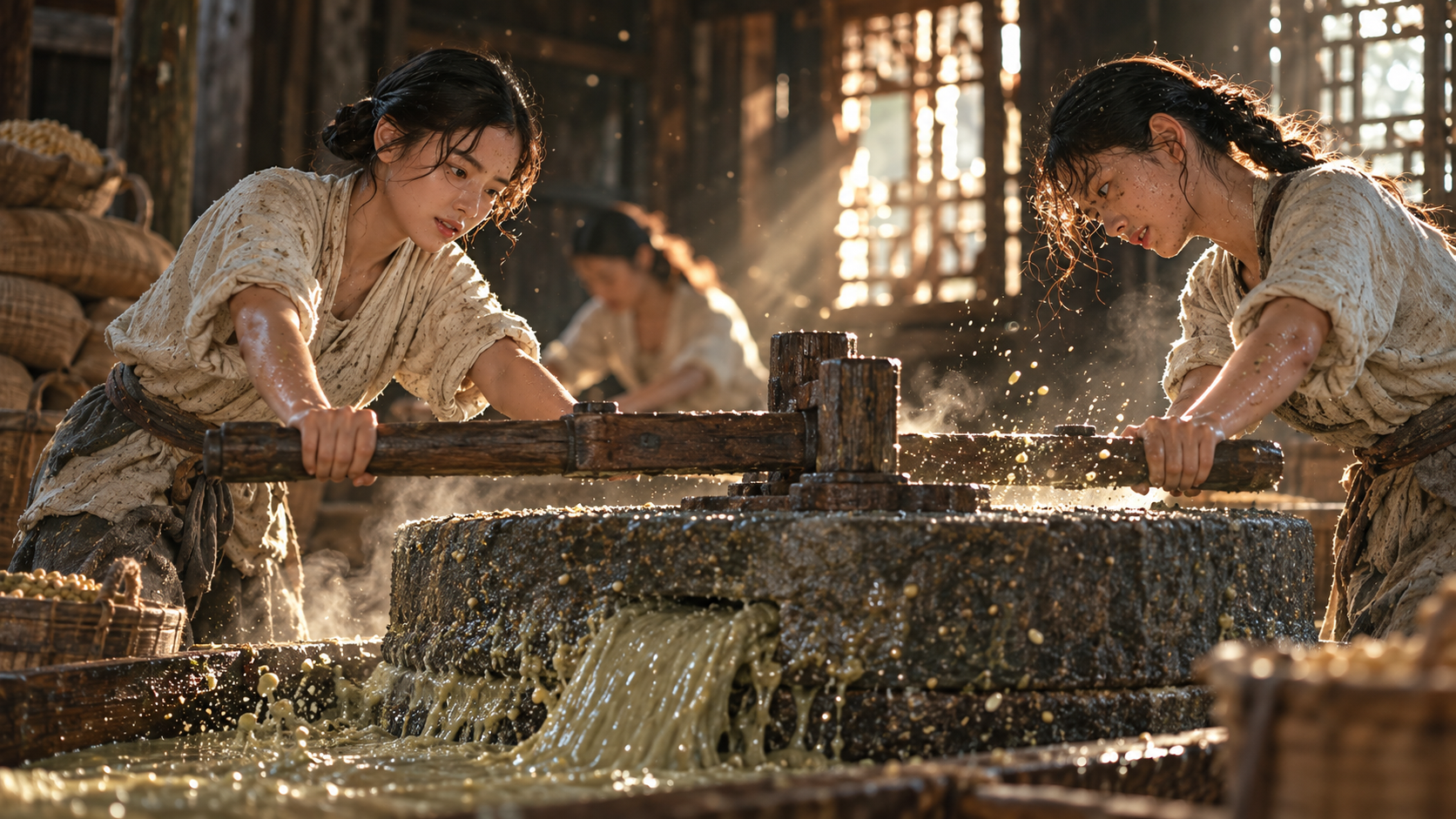
两位身穿粗布短衫的明代粉房女工人,在光线昏暗的木质作坊里推着石磨,石磨缝隙中流出粘稠的灰绿豆浆;古老沉重的石磨,空气中飘浮着豆粉颗粒与水汽,墙角堆着编织麻袋;工人皮肤粗糙沾着豆渣,手臂肌肉紧绷;斜射的晨光穿过破旧木窗格,照射在飞溅的水花与浓稠液体上;电影感中画幅摄影,逼真的石材与湿润木头纹理,浅景深,细腻颗粒感,温暖而劳作质感强烈的历史场景。
GPT-Image-2 Image Generation
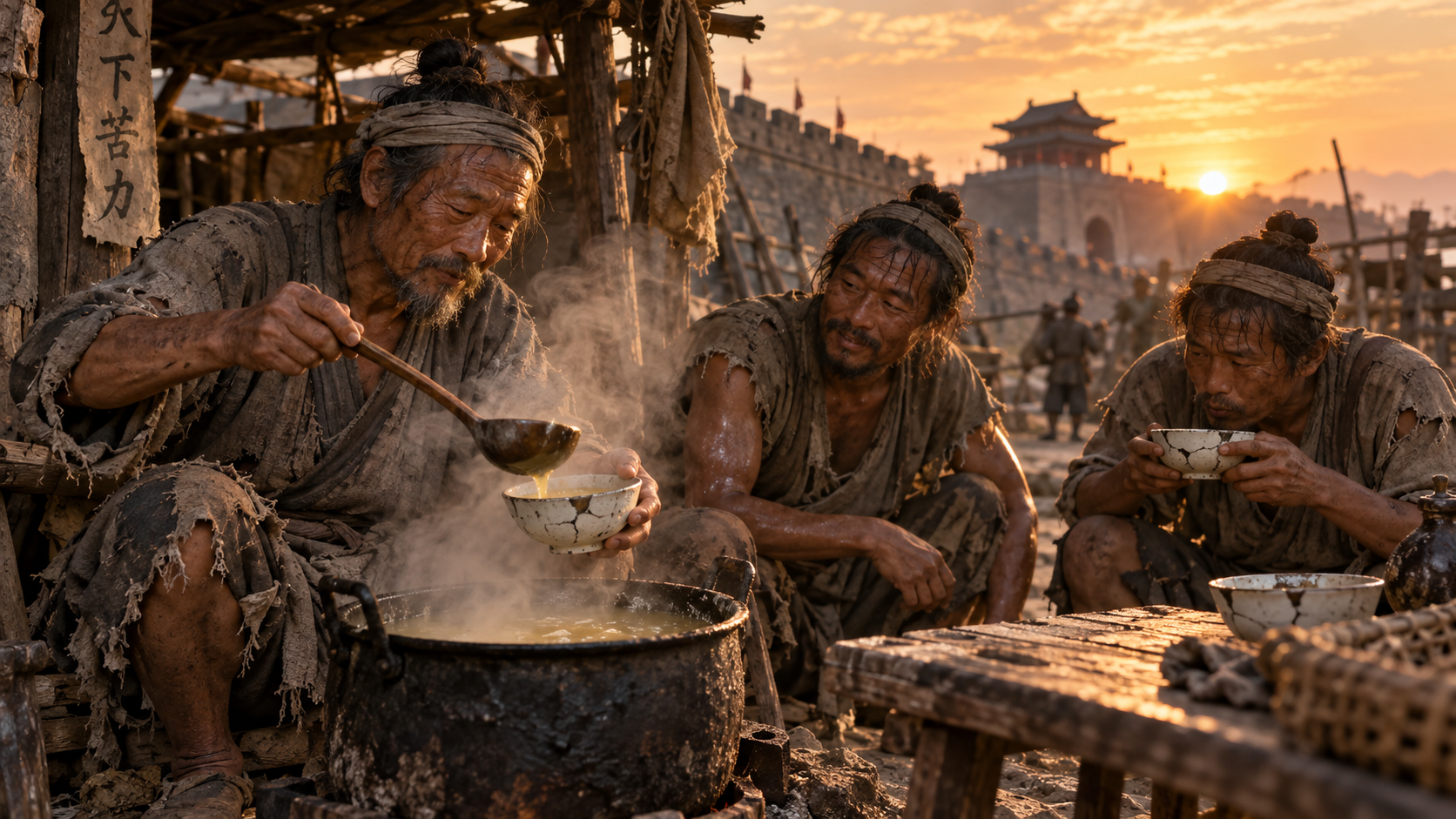
时间:明朝,三位明代末期的底层苦力蹲在城墙根下的简陋木棚旁,围着一小口黑铁锅;其中一位老者用木勺将锅里滚沸的灰黄色液体舀入破口瓷碗;他们身穿破旧交领麻布短衣,面容黝黑,汗水挂在脸颊;铁锅升腾着浓浓蒸汽,透着微微的酸气质感;浅景深捕捉老人小心翼翼抿一口酸汤后眉眼放松的微表情;金色的夕阳斜照在破旧的木桌与瓷碗上,带出细腻的微对比与自然颗粒感。
GPT-Image-2 Image Generation
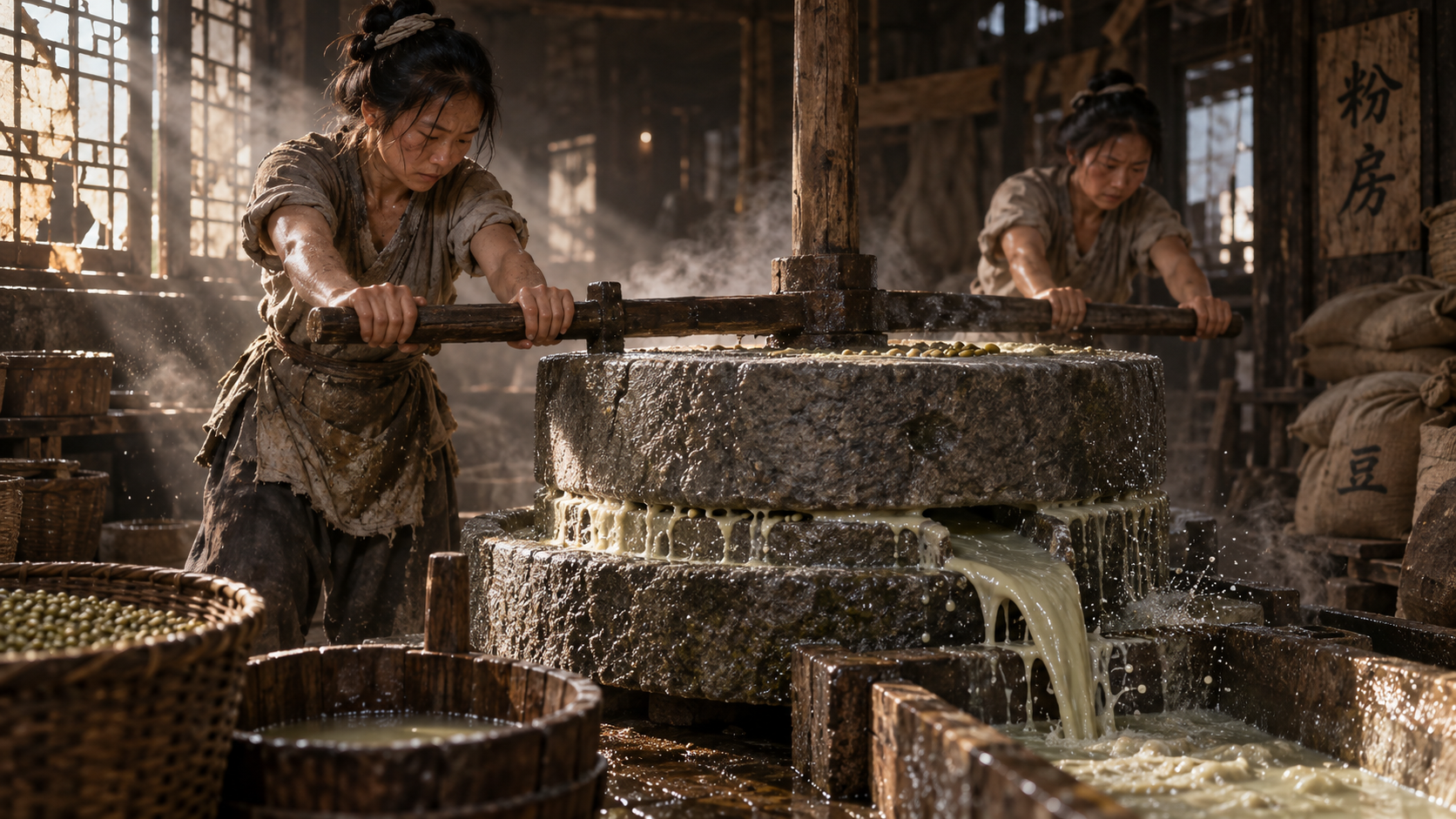
时间:明朝,两位身穿粗布短衫的明代粉房女工人,在光线昏暗的木质作坊里推着石磨,石磨缝隙中流出粘稠的灰绿豆浆;古老沉重的石磨,空气中飘浮着豆粉颗粒与水汽,墙角堆着编织麻袋;工人皮肤粗糙沾着豆渣,手臂肌肉紧绷;斜射的晨光穿过破旧木窗格,照射在飞溅的水花与浓稠液体上;电影感中画幅摄影,逼真的石材与湿润木头纹理,浅景深,细腻颗粒感,温暖而劳作质感强烈的历史场景。
GPT Image 2
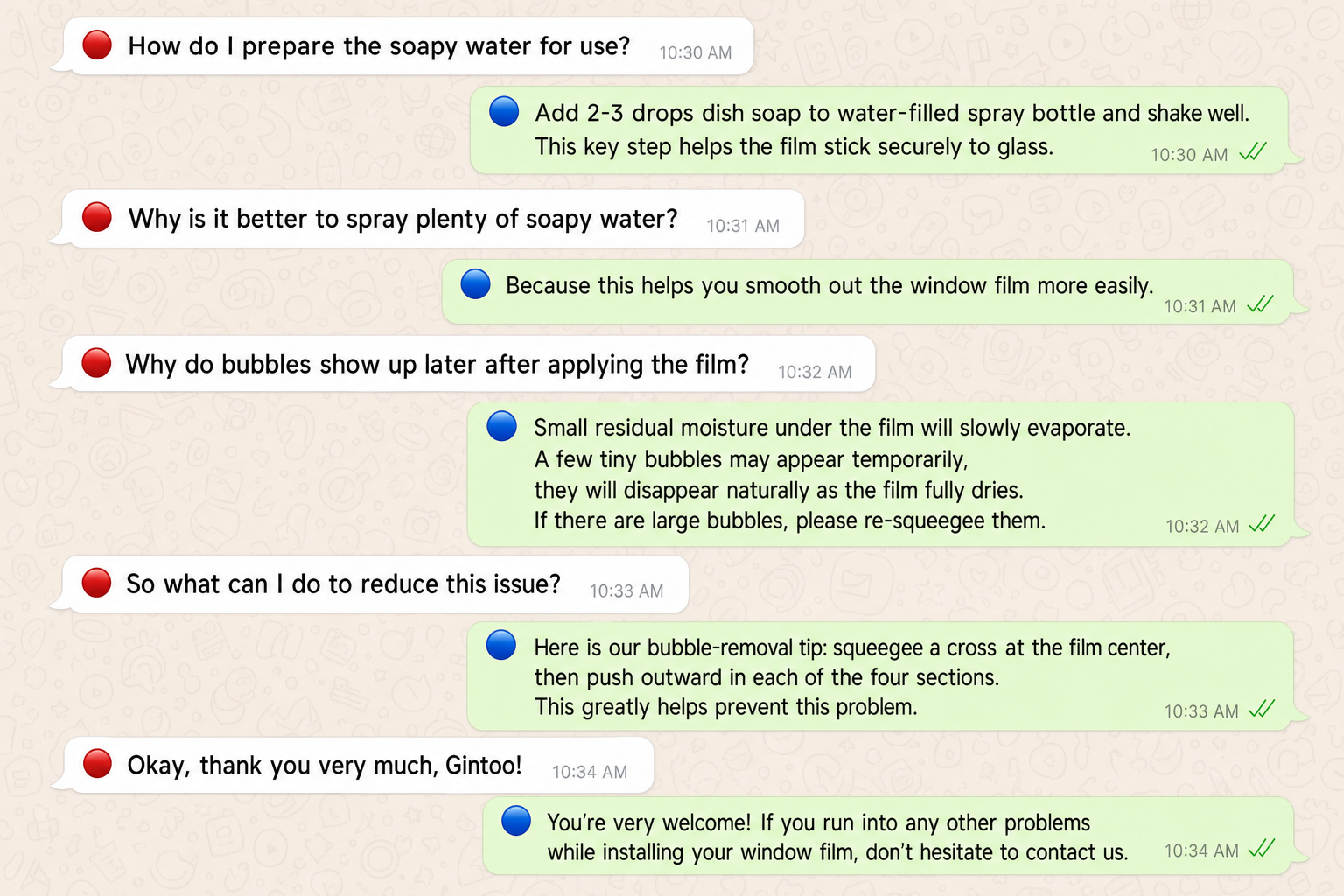
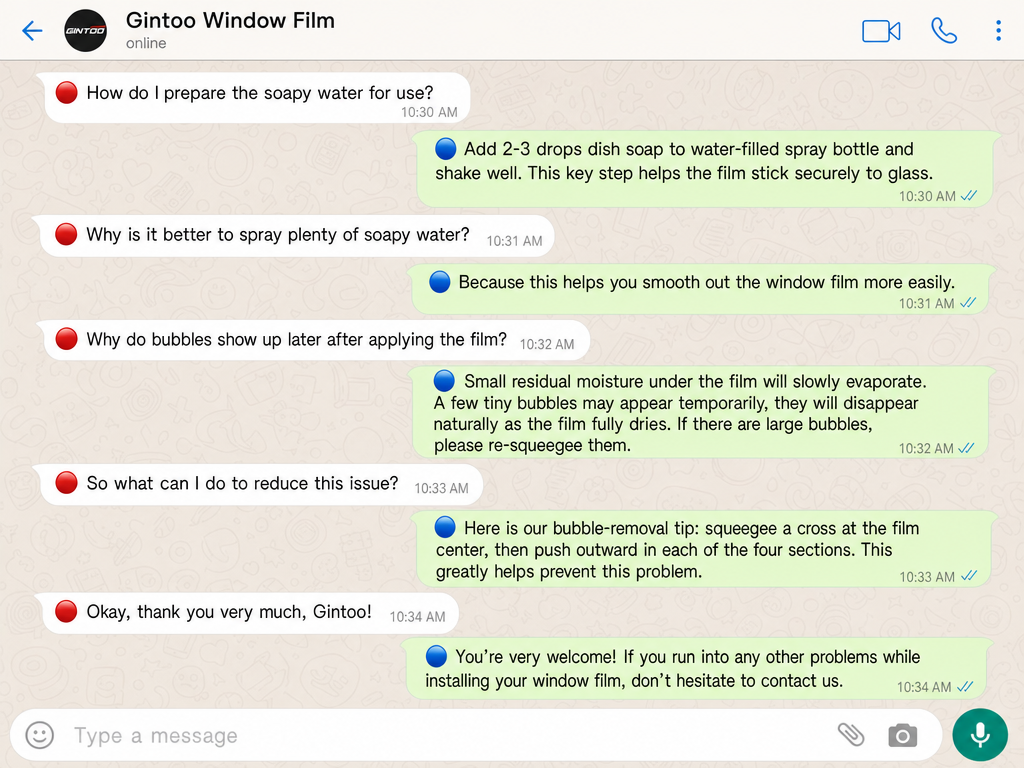
🔴How do I prepare the soapy water for use? 🔵Add 2-3 drops dish soap to water‑filled spray bottle and shake well. This key step helps the film stick securely to glass. 🔴Why is it better to spray plenty of soapy water? 🔵Because this helps you smooth out the window film more easily. 🔴Why do bubbles show up later after applying the film? 🔵Small residual moisture under the film will slowly evaporate. A few tiny bubbles may appear temporarily, they will disappear naturally as the film fully dries. If there are large bubbles, please re‑squeegee them. 🔴So what can I do to reduce this issue? 🔵Here is our bubble‑removal tip: squeegee a cross at the film center, then push outward in each of the four sections. This greatly helps prevent this problem. 🔴Okay, thank you very much, Gintoo! 🔵You’re very welcome! If you run into any other problems while installing your window film, don’t hesitate to contact us. 把以上关于window film 的FAQ内容做成whatup聊天框形式
GPT Image 2
🔴How do I prepare the soapy water for use? 🔵Add 2-3 drops dish soap to water‑filled spray bottle and shake well. This key step helps the film stick securely to glass. 🔴Why is it better to spray plenty of soapy water? 🔵Because this helps you smooth out the window film more easily. 🔴Why do bubbles show up later after applying the film? 🔵Small residual moisture under the film will slowly evaporate. A few tiny bubbles may appear temporarily, they will disappear naturally as the film fully dries. If there are large bubbles, please re‑squeegee them. 🔴So what can I do to reduce this issue? 🔵Here is our bubble‑removal tip: squeegee a cross at the film center, then push outward in each of the four sections. This greatly helps prevent this problem. 🔴Okay, thank you very much, Gintoo! 🔵You’re very welcome! If you run into any other problems while installing your window film, don’t hesitate to contact us. 把以上关于window film 的FAQ内容做成whatup聊天框形式
GPT Image 2
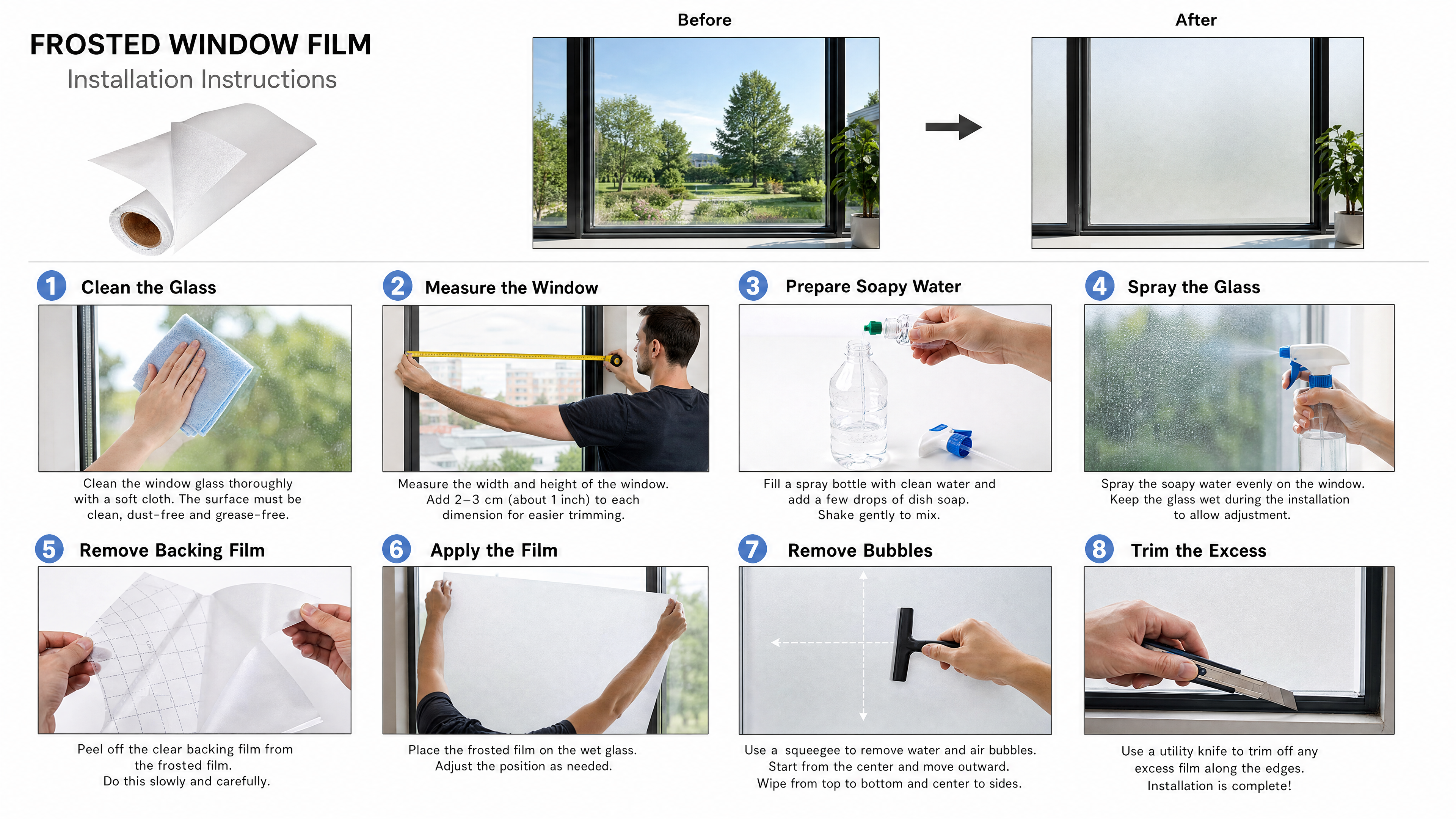
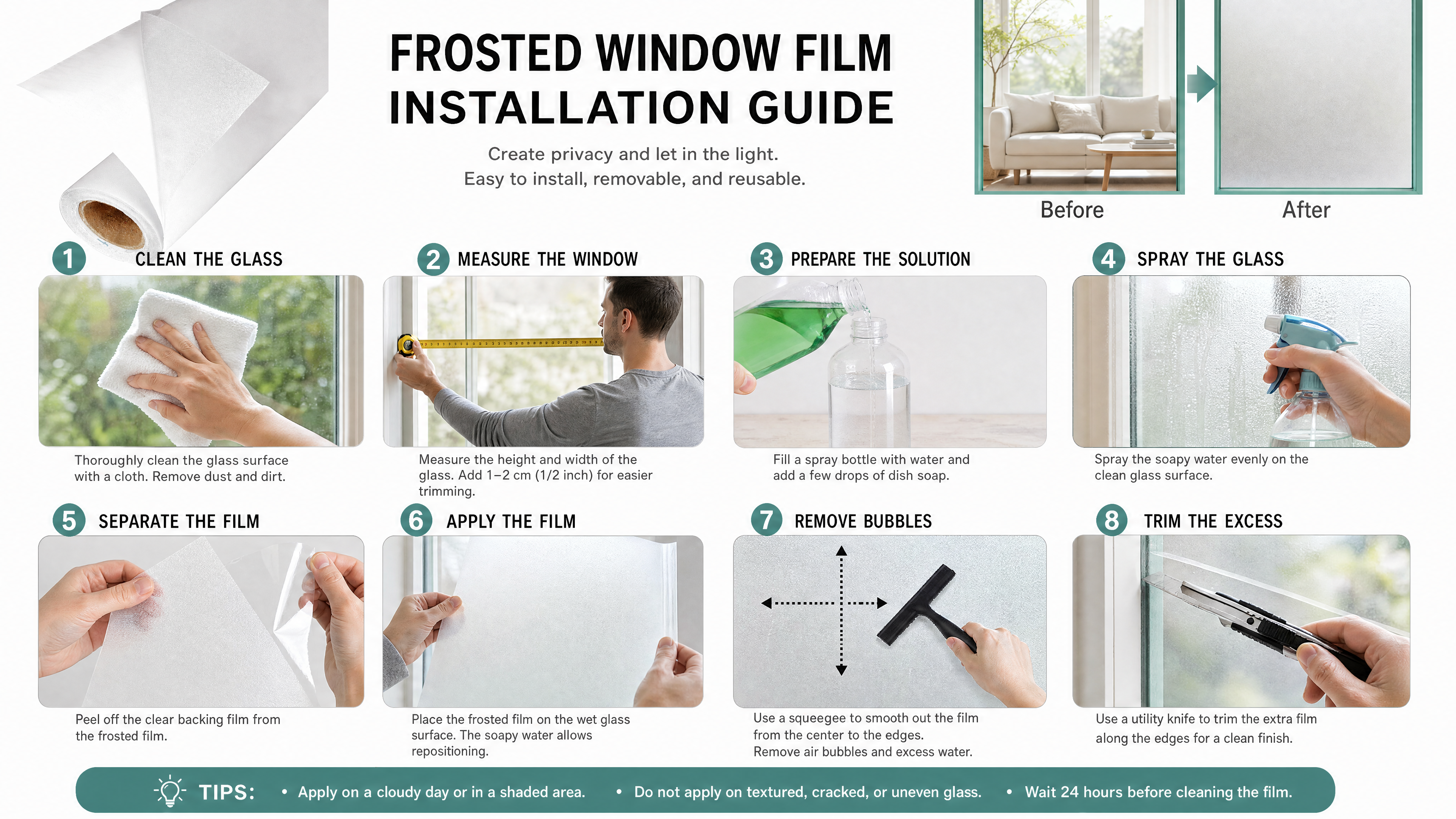
帮我做个英文的磨砂窗户玻璃贴膜的说明书,产品白底图是第一张,张贴后的效果图是第二张,可供参考 步骤1场景:一只手拿着毛巾擦拭窗户玻璃 步骤2场景:一个外国人拿着皮尺测量窗户的长度 步骤3场景:在装满水的喷壶里,滴几滴洗洁精 步骤4场景:一个人拿着喷壶,往干净透明的窗户玻璃上喷水 步骤5场景:一只手扯着透明底膜,另一只手扯着磨砂膜,做一个对拉,分离磨砂膜和透明底膜的动作,可参考图5生成,透明底膜上有虚线黑色格子 步骤6场景:把磨砂膜张贴在窗户玻璃上 步骤7场景:一只手用图三样式的黑色刮板,刮去磨砂膜和玻璃之间的气泡,在窗户玻璃中间做个“十”字的示意图 步骤8场景:用图四样式的小刀裁掉边缘多余的磨砂膜
GPT Image 2
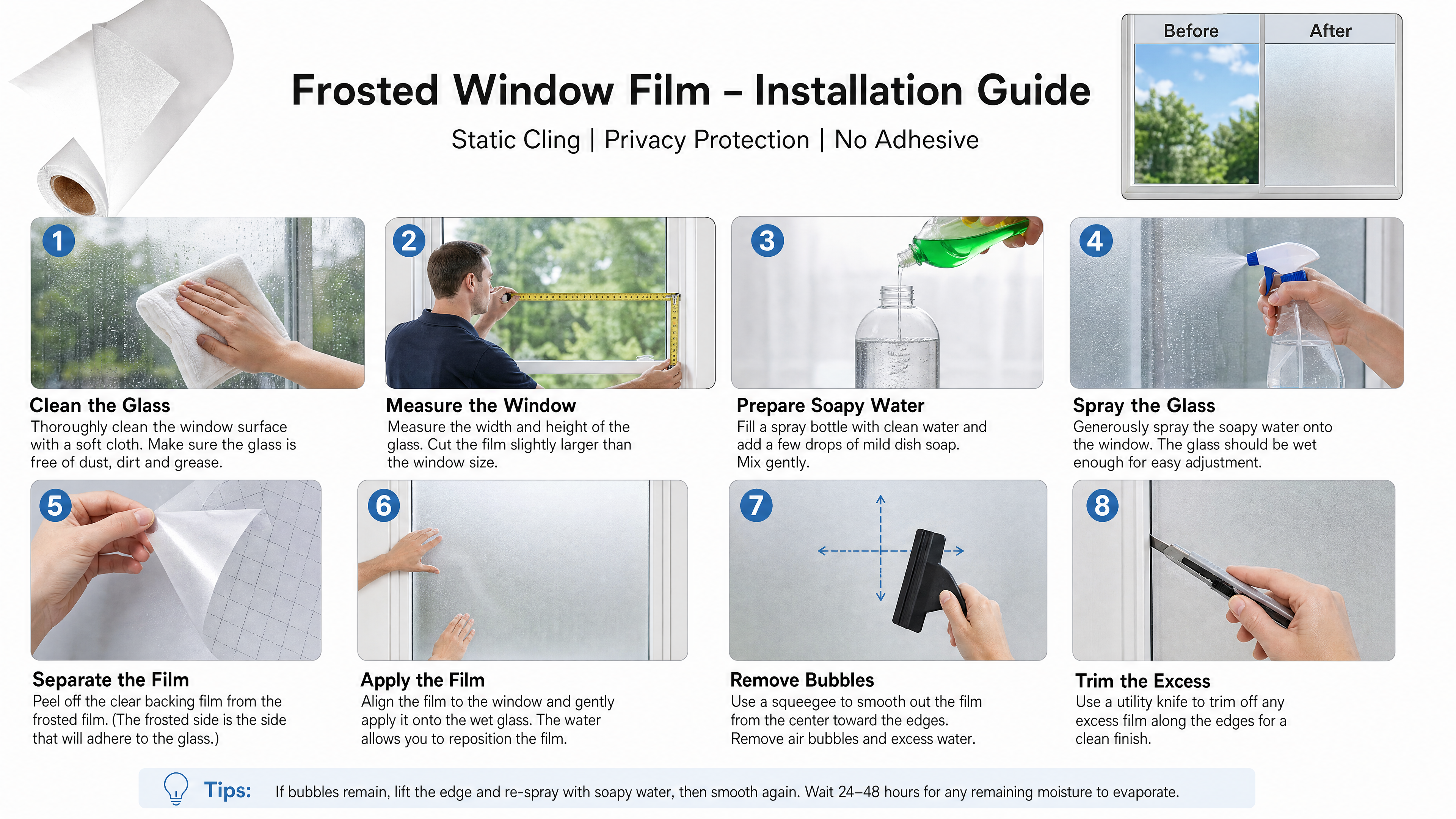
帮我做个英文的磨砂窗户玻璃贴膜的说明书,产品白底图是第一张,张贴后的效果图是第二张,可供参考 步骤1场景:一只手拿着毛巾擦拭窗户玻璃 步骤2场景:一个外国人拿着皮尺测量窗户的长度 步骤3场景:在装满水的喷壶里,滴几滴洗洁精 步骤4场景:一个人拿着喷壶,往干净透明的窗户玻璃上喷水 步骤5场景:一只手捏着透明底膜,另一只手捏着磨砂膜,做一个从磨砂膜的边角撕开,分离磨砂膜和透明底膜的动作,可参考图5生成,透明底膜上有虚线黑色格子 步骤6场景:把磨砂膜张贴在窗户玻璃上 步骤7场景:一只手用图三样式的黑色刮板,刮去磨砂膜和玻璃之间的气泡,在窗户玻璃中间做个“十”字的示意图 步骤8场景:用图四样式的小刀裁掉边缘多余的磨砂膜
GPT Image 2
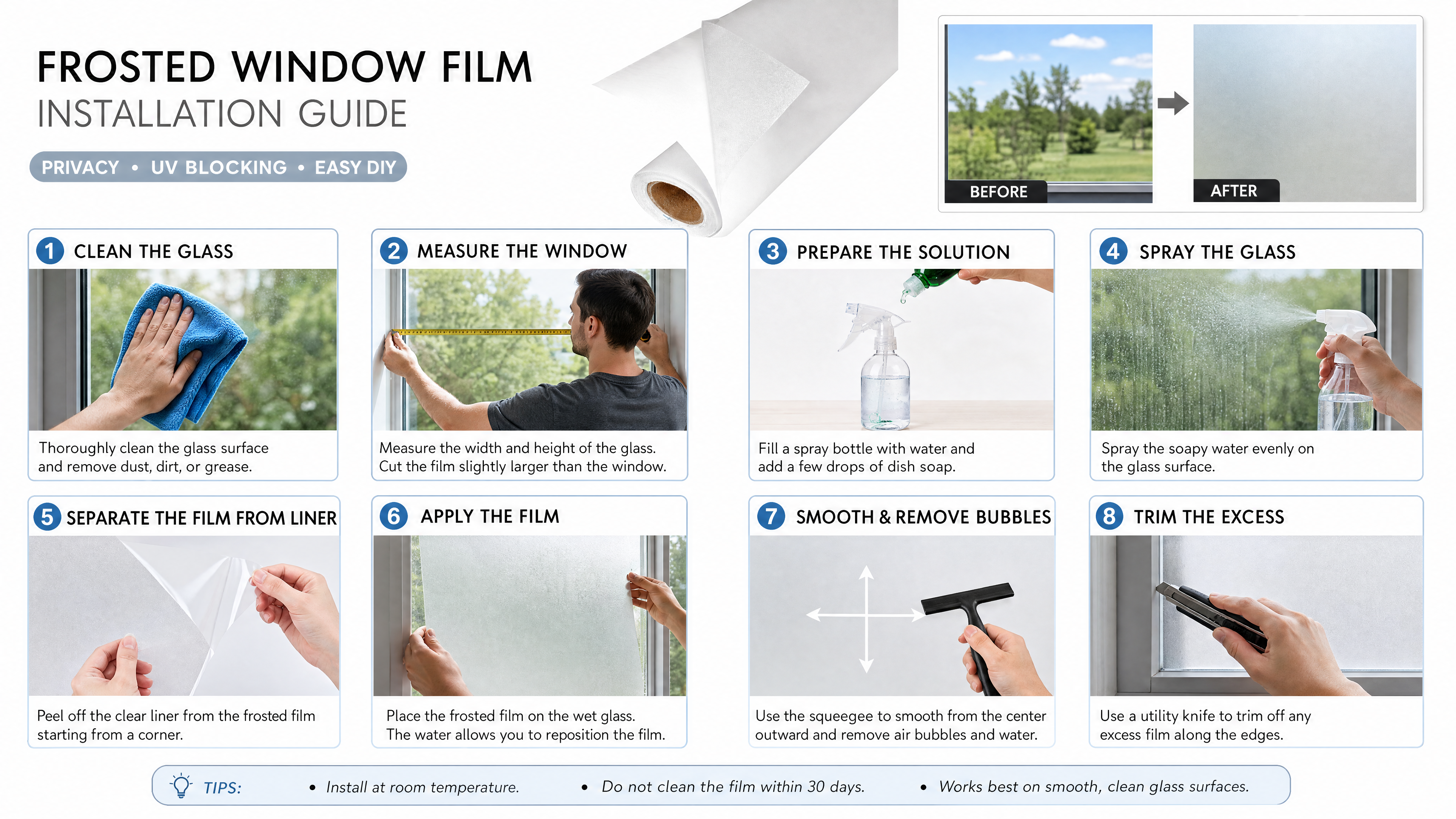
帮我做个英文的磨砂窗户玻璃贴膜的说明书,产品白底图是第一张,张贴后的效果图是第二张,可供参考 步骤1场景:一只手拿着毛巾擦拭窗户玻璃 步骤2场景:一个外国人拿着皮尺测量窗户的长度 步骤3场景:在装满水的喷壶里,滴几滴洗洁精 步骤4场景:一个人拿着喷壶,往干净透明的窗户玻璃上喷水 步骤5场景:一只手捏着透明底膜,另一只手捏着磨砂膜,做一个从磨砂膜的边角撕开,分离磨砂膜和透明底膜的动作,可参考图5生成 步骤6场景:把磨砂膜张贴在窗户玻璃上 步骤7场景:一只手用图三样式的黑色刮板,刮去磨砂膜和玻璃之间的气泡,在窗户玻璃中间做个“十”字的示意图 步骤8场景:用图四样式的小刀裁掉边缘多余的磨砂膜
GPT Image 2
帮我做个英文的磨砂窗户玻璃贴膜的说明书,产品白底图是第一张,张贴后的效果图是第二张,可供参考 步骤1场景:一只手拿着毛巾擦拭窗户玻璃 步骤2场景:一个外国人拿着皮尺测量窗户的长度 步骤3场景:在装满水的喷壶里,滴几滴洗洁精 步骤4场景:一个人拿着喷壶,往干净透明的窗户玻璃上喷水 步骤5场景:一只手捏着透明底膜,另一只手捏着磨砂膜,做一个从磨砂膜的边角撕开,分离磨砂膜和透明底膜的动作 步骤6场景:把磨砂膜张贴在窗户玻璃上 步骤7场景:一只手用图三样式的黑色刮板,刮去磨砂膜和玻璃之间的气泡,在窗户玻璃中间做个“十”字的示意图 步骤8场景:用图四样式的小刀裁掉边缘多余的磨砂膜

GPT Image 2 - Image To Image
将这两个logo以左右并列的形式放在一张黑底图片上,贵州猛龙在左边,超因素在右边
GPT Image-2 - Text to Image
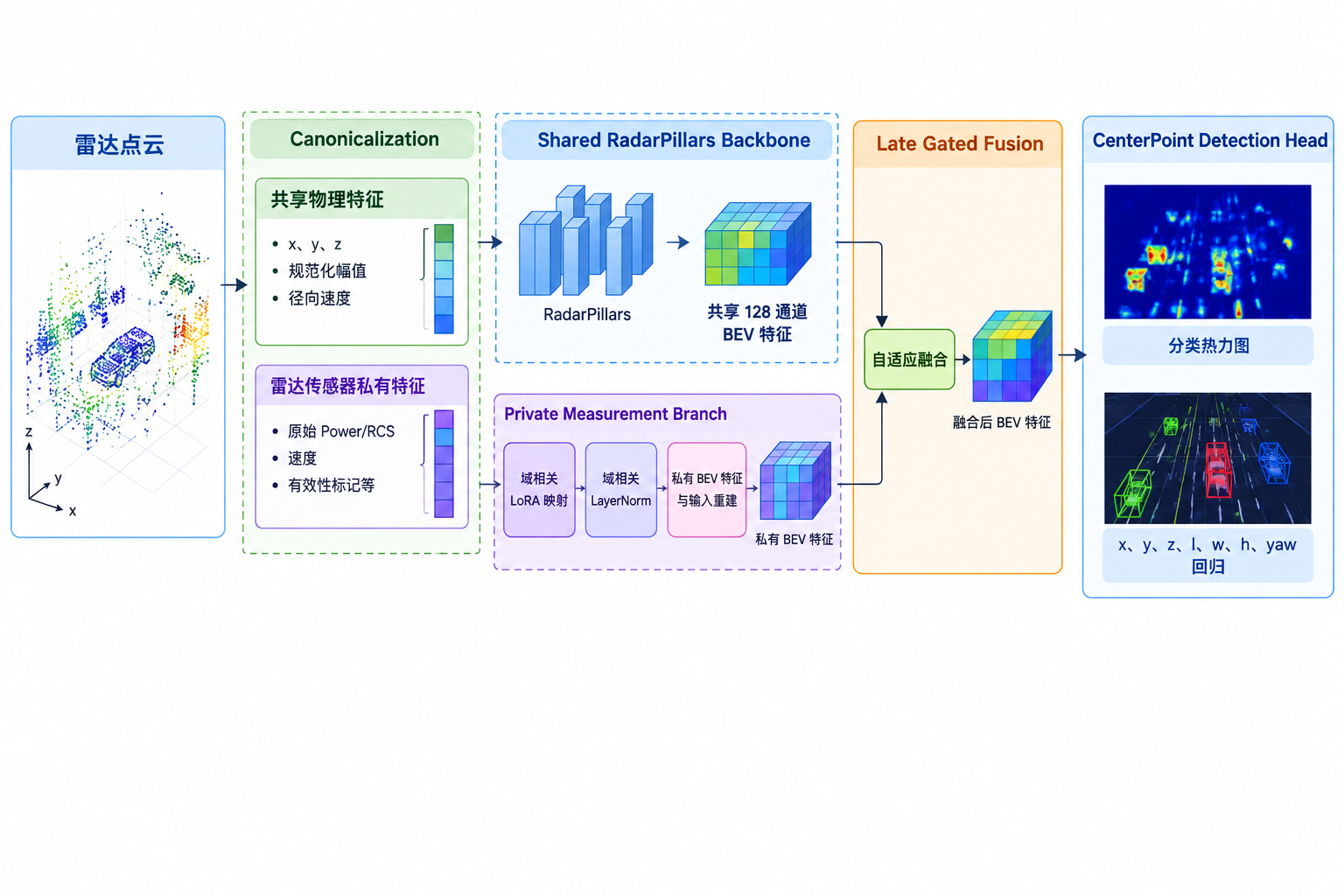
雷达点云 │ ├── Canonicalization │ ├── 共享物理特征:x、y、z、规范化幅值、径向速度 │ └── 雷达传感器私有特征:原始 Power/RCS、速度、有效性标记等 │ ├── Shared RadarPillars Backbone │ └── 生成共享 128 通道 BEV 特征 │ ├── Private Measurement Branch │ ├── 域相关 LoRA 映射 │ ├── 域相关 LayerNorm │ └── 私有 BEV 特征与输入重建 │ ├── Late Gated Fusion │ └── 自适应融合共享与私有 BEV 特征 │ └── CenterPoint Detection Head ├── 分类热力图 └── x、y、z、l、w、h、yaw 回归 生成模型结构图ppt

GPT-Image-2 Image Generation
生成人物的全身三视图,真实皮肤,有毛孔,有轻微瑕疵,一点点雀斑,
Page 14 of 193